In the early stage, GA4 is often enough to track traffic, key events, and basic channel performance. But as spend grows, teams usually want sharper answers: Which channel is actually creating revenue? Which campaign influences pipeline, not just clicks? Which platform is getting too much credit?
That is where the decision starts: stay with native GA4, add a dedicated marketing attribution platform, or use both.
This guide breaks down the practical differences so growing companies can choose the right setup without overbuying or under-measuring.
Why This Choice Matters for Growth
Growing companies usually hit the same wall.
Your team is spending more across paid search, social, email, organic, and sometimes influencer or affiliate channels. Sales cycles get longer. Buyers visit multiple times. Some conversions happen later, or offline. Then your reporting starts showing different numbers in GA4, ad platforms, and CRM.
That is not always a tracking failure. It is often a system mismatch.
GA4 is a strong analytics platform. It uses an event-based model, supports web and app measurement, and includes privacy-focused modelling features for situations where conversions cannot be directly observed.
But a dedicated attribution platform is built for a different job: stitching more sources together and helping teams assign credit in a way that matches how the business actually closes revenue.
What Native GA4 Does Well
GA4 is still the right starting point for most businesses.
1) It gives you a strong foundation for web and app tracking
Google states GA4 collects website and app data and uses an event-based model instead of a session-based one. That makes it more flexible for modern journeys where users bounce across devices and channels.
It also includes modeled key events, which help reporting when direct observation is limited due to privacy or technical constraints.
2) It includes built-in attribution reporting
GA4’s Advertising section includes reports for attribution models, attribution paths, key event performance, and conversion performance. Google also says these reports are meant to help with cross-channel ROI and budget decisions.
That means you can compare attribution views and understand pathing without buying another tool on day one.
3) You can control attribution settings in the platform
GA4 lets you configure:
- reporting attribution model
- channels that can receive credit
- key event lookback window
Google also notes that key events in GA4 are the primary source for conversions shared with Google Ads.
This is important for performance teams because attribution settings can affect both reporting and bidding workflows.
4) BigQuery export gives you an upgrade path
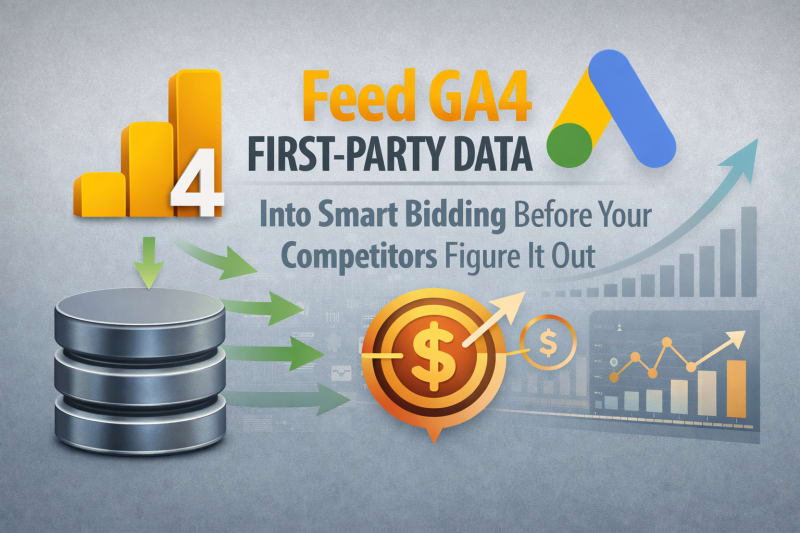
One of GA4’s biggest strengths is that you can export raw events to BigQuery. Google confirms you can query the raw export and combine it with external data. They also note you own the exported data.
This is a huge advantage for growing teams because it gives you a path from simple reporting to more advanced analysis without replacing GA4.
Where Native GA4 Starts to Feel Tight
GA4 is good, but there are common limits once the company grows.
1) Attribution inside GA4 is still reporting focused
GA4 attribution is very useful, but it is still a reporting layer, not a full business attribution operating system.
For example, Google highlights that changing the reporting attribution model affects key event reports and explorations using event-scoped traffic dimensions, while user and session-scoped dimensions are unaffected. In real life, this can confuse teams when different reports tell different stories.
2) Model options are narrower than before
Google notes that first click, linear, time decay, and position-based models are no longer available in GA4 reporting attribution settings (deprecated as of November 2023).
For many teams, that is fine. But some businesses still want those rule-based models for internal planning or stakeholder communication.
3) Cross-channel and offline attribution gets harder as complexity increases
GA4 can absolutely support deeper analysis, especially with BigQuery export. But once you want to blend ad spend, CRM stages, sales outcomes, and offline touchpoints, you usually need extra data work.
Google confirms GA4 raw events can be exported and combined with external data in BigQuery, which is powerful, but that still means someone has to build and maintain the joins, logic, and reporting.
That is where many growth teams start looking at dedicated attribution tools.
4) Some teams underestimate reporting lag and modeled updates
Google notes that attributed conversion data in GA4 can continue updating for up to 12 days after a conversion is recorded because of processing and model training.
If your team is making daily budget decisions, that nuance matters. It does not mean GA4 is wrong, but it does mean you need to read recent data carefully.
What Marketing Attribution Software Adds
A dedicated attribution tool is not “better” in every case. It is better when your business needs more than GA4’s native reporting.
1) More attribution models and customization
Many attribution platforms support multiple rule-based and data-driven models. For example, Dreamdata documents first touch, last touch, linear, W-shaped, U-shaped, and data-driven options.
That flexibility is useful when leadership wants different views for demand generation, pipeline influence, and revenue reporting.
2) Revenue and funnel level attribution, not just key events
This is especially important for B2B and high consideration businesses.
HubSpot’s attribution reporting, for example, supports contact creation, deal creation, and revenue attribution reports. That is closer to how most growth teams and revenue leaders evaluate performance.
If your company cares more about pipeline and closed won revenue than form fills, this difference becomes important fast.
3) Broader integrations across the stack
Dedicated tools often connect to more than analytics and ad accounts.
Dreamdata’s integration docs show connections across CRM, marketing automation, ad platforms, and data warehouses such as BigQuery and Snowflake.
Northbeam’s docs also emphasize platform integrations and even manual spend uploads when API data is unavailable.
This is the real reason companies adopt attribution software. It is not just for dashboards. It is for data stitching.
4) Faster operational decision-making for growth teams
When attribution is centralized, teams can move faster on questions like:
- Which campaigns influence the qualified pipeline?
- Which channels assist conversions but rarely get last click credit?
- Where is the spend missing due to broken UTMs or disconnected platforms?
- Which source looks strong in platform reports but weak in revenue reporting?
GA4 can answer some of these. Attribution software is built to answer them repeatedly and at scale.
So What Should Growing Companies Choose?
Here is the practical answer.
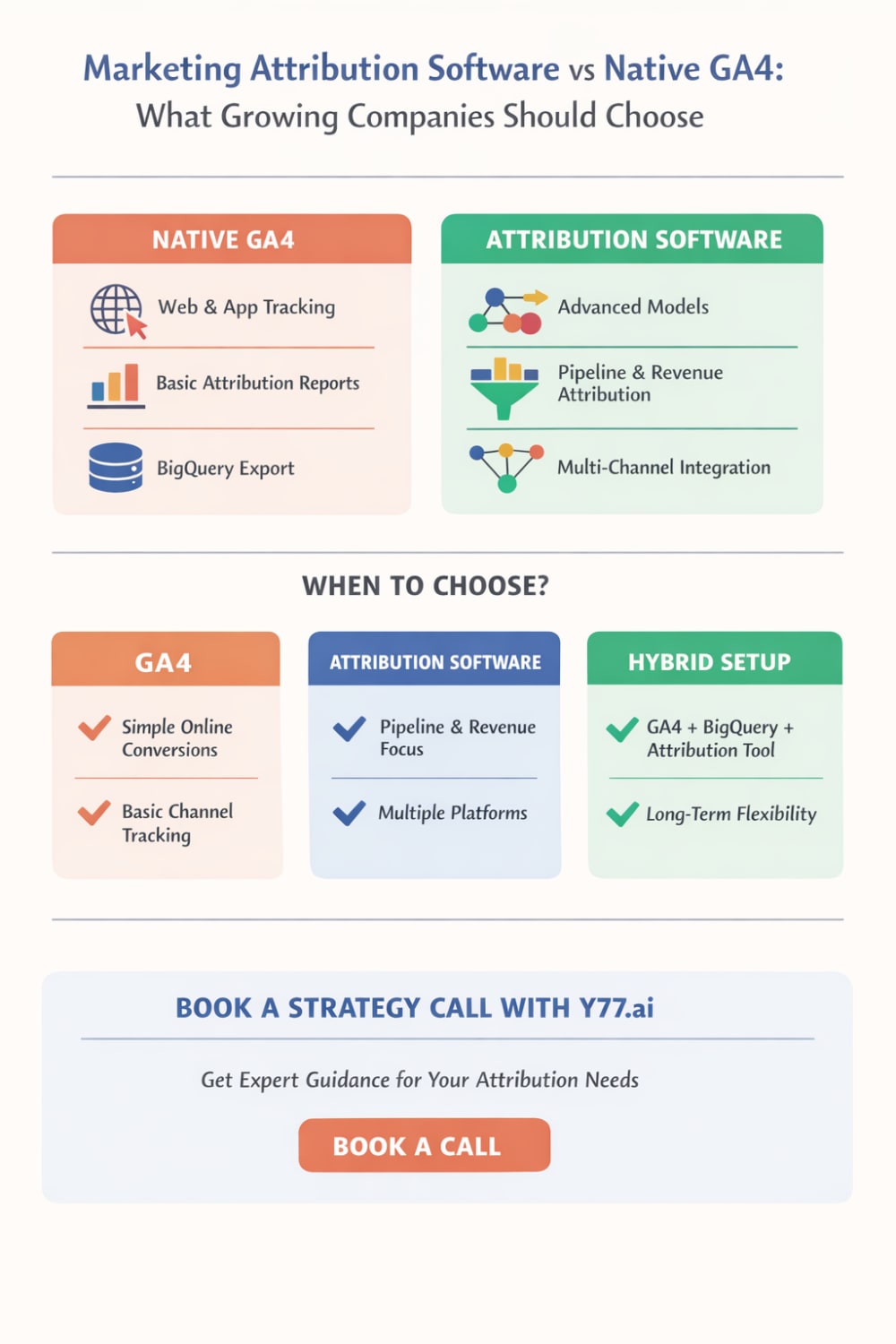
Choose Native GA4 If:
- You are still building tracking discipline
- Most conversions happen online
- Your team mainly uses Google Ads and standard channel reporting
- You do not yet need CRM or revenue level attribution
- You want a lower-cost setup first
GA4 is the correct choice for many early and mid-growth companies, especially if the implementation is clean.
Choose Marketing Attribution Software If:
- You are running across many channels and platforms
- You need pipeline or revenue attribution, not just website key events
- Sales cycles are longer or involve multiple touchpoints
- You need flexible models for different stakeholders
- Your team is spending enough that attribution gaps are becoming expensive
In short, once attribution quality affects budget allocation every week, dedicated tooling usually starts paying for itself.
Choose a Hybrid Setup If You Want the Best Long-Term Path
For many growing companies, the smartest setup is:
GA4 for core analytics + BigQuery for data ownership + attribution software for decision making
That gives you:
- strong measurement foundation
- access to raw data
- cross-team reporting beyond platform silos
It also reduces risk because you are not fully dependent on one vendor’s dashboard logic.